Restaurant checklists, temperature logs and incident records
Mezbano Floor runs a restaurant’s opening, service and closing checklists, fridge, freezer and food temperature checks, incident records and kitchen prep from a phone. Out-of-range readings need a corrective action, and each day is signed off by a manager, with dated records you can print or download for an inspector.
What you can do
-
Run the shift’s checklists
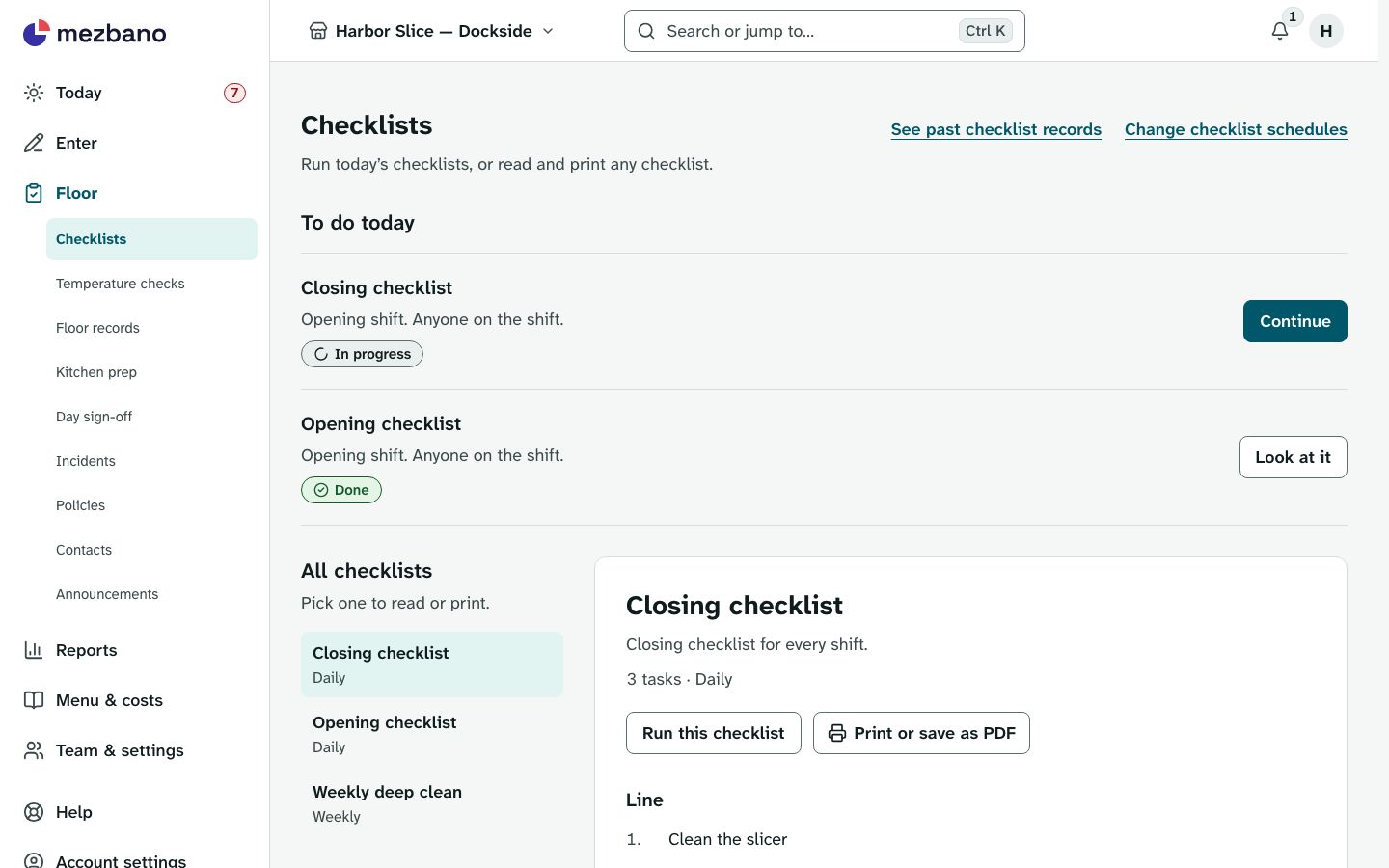
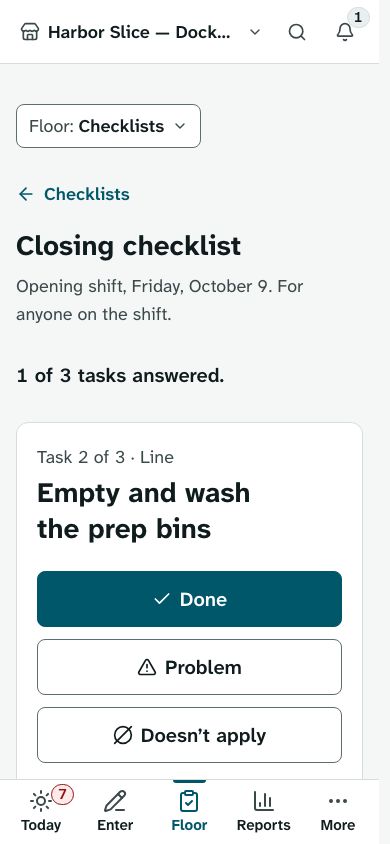
Opening, service and closing checklists are answered one task at a time, and a task can ask for a photo or a note. Schedules say which lists each shift runs, when they are due and who does them.
-
Log temperatures and fix problems
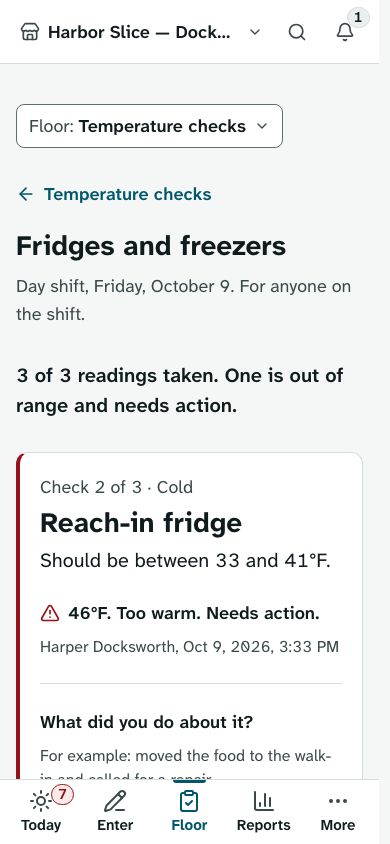
Fridge, freezer and food temperature rounds record each reading. A reading out of range needs a note of what you did about it, and managers can add one on a past day too.
-
Show an inspector the records
Floor records lists every reading and checklist task between two dates, with who answered and when, photos and what was done about problems. Print it or download it as a CSV file.
-
Sign off the day
The day page gathers sales, hours, floor work, incidents and handovers and shows what is still open. A manager closes out what could not be finished and signs the day off; if the day’s outcome changes afterwards, such as a new blocker or changed sales or labour, it needs signing off again.
What’s included
The parts of the module, named as the app names them.
Floor checks
Checklists and temperature checks.
Answers, readings and photos are kept as they were entered, and a past day keeps what it required even after a checklist changes.
Incidents
Report what went wrong and follow it up.
Add updates until an incident is resolved; the first report stays as it was.
Kitchen prep
Make batches from the brand’s prep recipes.
Amounts change with the number of batches, and a batch follows the recipe as it was when you started.
Day sign-off
Sign off each day and hand over between shifts.
The handover written at sign-off stays with that day for the next shift and the manager.
Works on its own, or with
Floor checks and Incidents work alone. Kitchen prep needs Costing’s recipes, since a batch follows a published prep recipe. Day sign-off needs at least one of Daily sales, Labour, Floor checks, Incidents or Kitchen prep, and gathers whichever the store has. Finance’s month close warns about days not signed off.
Who it is for
- Independent restaurants
Start from ready-made opening and closing checklists and food-safety temperature checks, with records ready when the inspector visits.
- Franchise brands
Write the checklists your stores run once, in the brand’s checklist library, and see each store’s last seven days side by side.
- Multi-location groups
Readiness by store shows which days each store signed off and which it did not.
- Franchisees
Run the brand’s checklists at your store, with your own shift schedules for which checks each shift runs and who does them.
In the app
Questions owners ask
Is there an app for restaurant opening and closing checklists?
Mezbano runs in your phone’s browser and can be added to the home screen, where it opens like an app. Staff answer checklists one task at a time, with a photo or a note where a task asks for one.
How do I keep a food temperature log?
Start from the food-safety temperature checks in the starter pack, and staff record each reading on their round. A reading out of range needs a corrective action, recorded with it.
Can I show a health inspector my records?
Yes. Floor records lists every temperature reading and checklist task between two dates, with who answered and when and what was done about problems. Print it, or download it as a CSV file.
What happens if a checklist is not finished?
It shows on Today and on the day’s sign-off page. After the day ends, a manager can close it out with a note, which turns it from a blocker into a warning.
Can staff change a temperature reading after it is saved?
No. Readings, answers and corrective actions are kept as entered; a corrected answer is added and the earlier one stays, marked.
What it does not do
- Wireless temperature sensors: readings are entered by hand.
- Staff scheduling: shift schedules say which checks each shift runs, not who works when.
- Label printing for prepped food.
- Native app-store apps: Floor runs in the browser and can be added to a phone’s home screen.
- Writing your own temperature checks: they come from the starter food-safety set or are entered by the Mezbano team. The brand console has a checklist library only.
See it with your own restaurant
Book a demo and we will go through how your stores run today and where Mezbano fits.